No app switching
Links are auto-copied to your clipboard. Paste them anywhere — Slack, WhatsApp, email, Discord, SMS. Whatever app you're already in.
A tiny browser extension that creates a Google Meet, Zoom, Teams, or Jitsi link and puts it straight on your clipboard. No app switching. No calendars. No accounts to manage on our side.
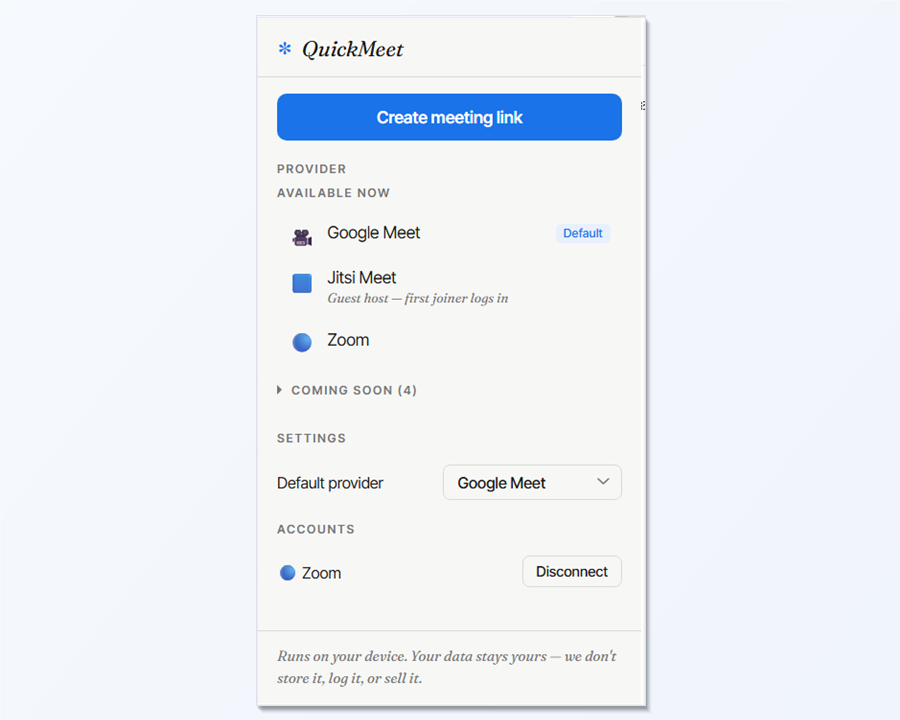
Meeting scheduling has grown a lot of surface area. QuickMeet strips it back to the part that actually matters when you're mid-conversation.
Links are auto-copied to your clipboard. Paste them anywhere — Slack, WhatsApp, email, Discord, SMS. Whatever app you're already in.
Google Meet and Jitsi work instantly. Zoom and Teams take one sign-in — then it's one click forever after that.
No account. No meeting links stored — ever. Google Meet, Jitsi, and Teams talk directly to their providers with nothing on our side. Zoom uses a minimal stateless relay (because Zoom's API blocks browsers) that stores and logs nothing. Tokens live locally, encrypted by Chrome. Anonymous provider stats only — read the details.
There is nothing to configure. Nothing to sync. Nothing to log into on our side.
QuickMeet sits in your browser toolbar, waiting quietly.
One button. Google Meet is the default — pick another provider if you'd rather.
The link is already on your clipboard. Slack, WhatsApp, email — send it.
Pick your default in settings, or choose per-link from the popup.
No accounts. Meeting links are never stored. OAuth tokens live locally, encrypted by Chrome. Google Meet, Jitsi, and Teams talk directly to their providers with zero involvement from us. Zoom uses a small stateless relay because Zoom's API blocks browsers — the relay stores nothing and logs nothing. Anonymous provider stats only. We never profile you or sell your data.
Read the full privacy policy →It works on Chrome, Edge, Brave, Opera, Vivaldi, and other Chromium-based browsers on Windows, macOS, and Linux. It does not work on iOS or Android — mobile browsers don't support extensions of any kind.
Only if you use the Google Meet option — and only the account already signed into your browser. QuickMeet does not ask you to sign in with Google.
No. QuickMeet creates the link, returns it to the popup, and copies it to your clipboard. That's the end of its involvement. The link is not stored anywhere.
Standard OAuth. You click Sign in, get taken to Zoom's or Microsoft's own login screen, and approve the extension. The extension receives an access token and stores it locally in Chrome's encrypted storage. QuickMeet never sees your password.
That's a policy on meet.jit.si (Jitsi's free public server). The first person to join must sign in with Google, GitHub, or Facebook on Jitsi's site to become the room's moderator. QuickMeet can't override that — it's server-side. Guests who join after don't need to sign in.
Not at this time. If you're a security researcher and need to verify something specific about how the extension handles your data, please email us — quickmeet@eightai.work
Email us at quickmeet@eightai.work